Electronic JW202 & JW201 Form Download 2027 / 2028
The electronic JW202 and JW201 form download 2027 / 2028 (Ministry of Education China MOE Visa Assistant Gateway) provides international students with official digital visa application certificates, verified digital QR codes, and pre-requisite documentation for China X1 and X2 student visas across 280+ designated Chinese universities.
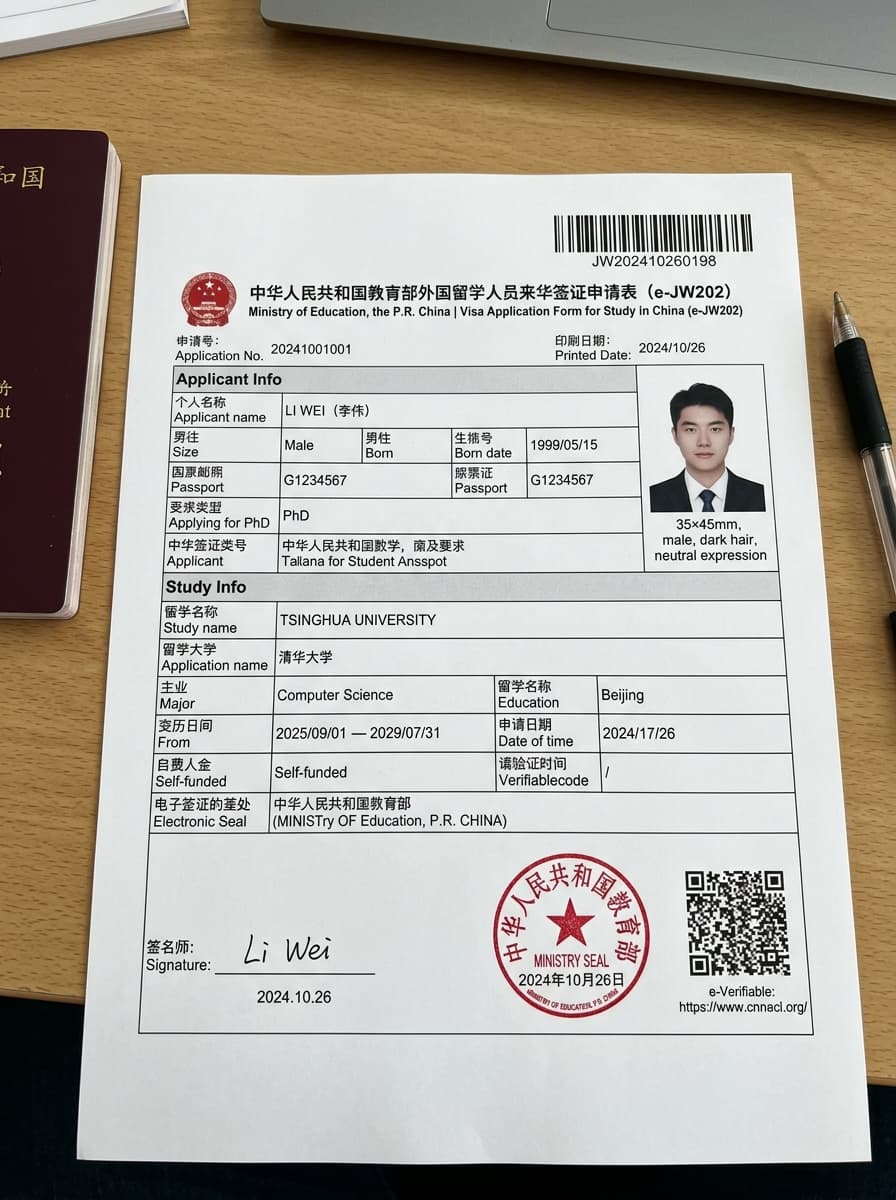
Digital Visa Form (JW202 / JW201)
- JW201: Issued for full Chinese Government Scholarships (CSC Type A & B).
- JW202: Issued for University, Provincial, Silk Road & Self-Funded admissions.
- Contains verified red digital seal & QR code. Print in color on standard A4 paper.
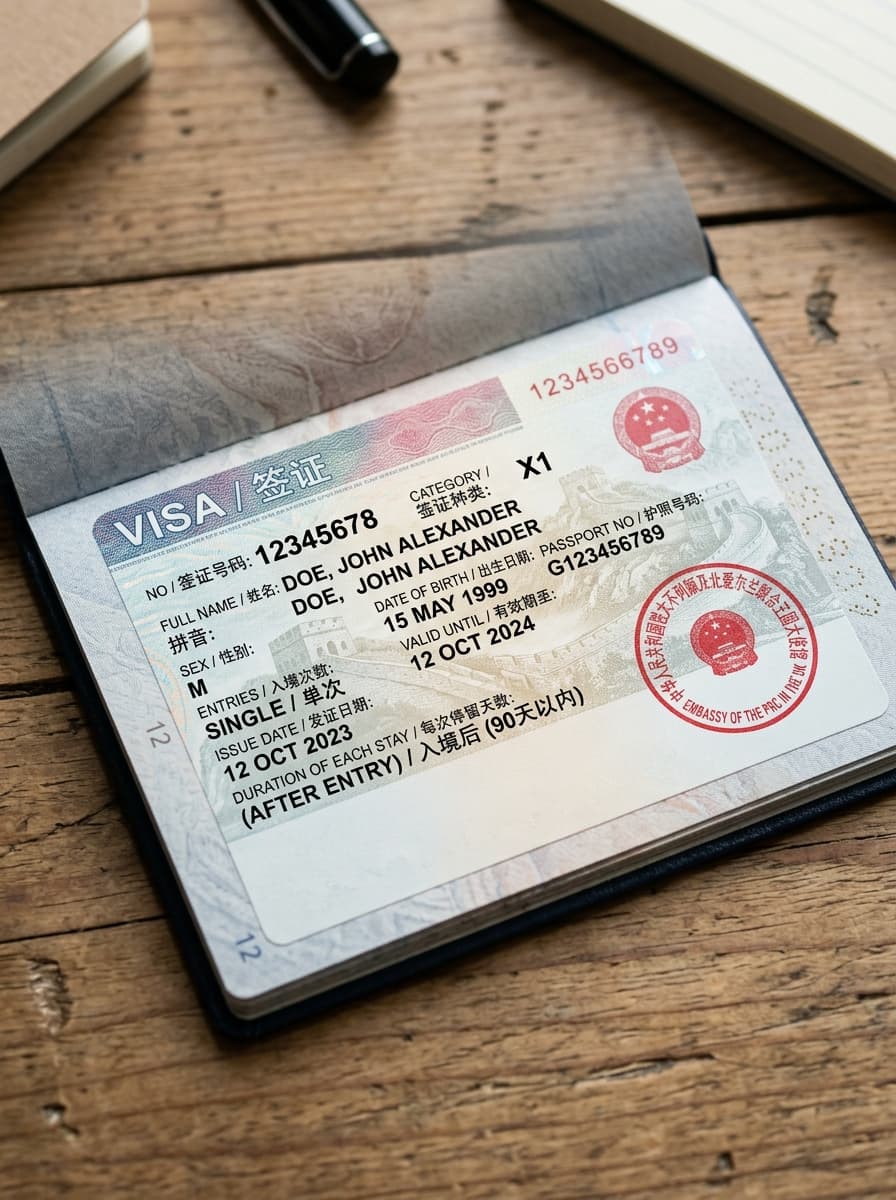
China Student Visa (Category X1 / X2)
- X1 Visa: Long-term study (>180 days). Must convert to Residence Permit within 30 days of arrival.
- X2 Visa: Short-term study (≤180 days). Single or double entry.
- Affixed into your passport by Chinese Embassy/CVASC with your printed JW form & Admission Notice.
Download Electronic JW202 / JW201 Certificate
The Chinese Ministry of Education issues digital visa certificates directly to international students. Have your three credentials ready before opening the portal:
Official Ministry Portal
Clicking below opens the official MOE Study in China Visa Assistant portal in a new tab. Submit your details, enter OTP, and download your PDF.
📥 Open Official MOE GatewayJW201 vs. JW202 Form: Official Comparison Matrix
Understanding issuing authorities, scholarship categories, and embassy visa submission protocols for the 2027 / 2028 academic intake.
| Comparison Feature | JW201 Form (CSC Scholarship) | JW202 Form (University / Provincial) |
|---|---|---|
| Scholarship & Funding Category | CSC Type A/B Full Chinese Government Scholarships (CSC Program Type A & Type B) | University / Other Provincial Scholarships, University Direct Grants, Belt & Road Quotas, Self-Funded |
| Issuing Authority | CSC Type A/B Ministry of Education of China (MOE) & China Scholarship Council (CSC) | University / Other Designated Host Chinese University & Provincial Department of Education |
| Digital Red Seal & QR | CSC Type A/B State Council / MOE Central Electronic Digital Seal with dynamic verification QR | University / Other Host University & Provincial Education Bureau Digital Seal with verification QR |
| Visa Category Supported | CSC Type A/B China Long-Term Student Visa (Category X1 for study duration > 180 days) | University / Other China Student Visa (X1 for >180 days, or X2 for short-term study ≤180 days) |
| Embassy Visa Submission | CSC Type A/B Original Color A4 Printout + Official CSC Scholarship Award Notice | University / Other Original Color A4 Printout + Host University Official Admission Notice |
| Validity & Download Limit | CSC Type A/B Strict 10-download quota from studyinchina.edu.cn; valid for program duration | University / Other Strict 10-download quota from studyinchina.edu.cn; valid for program duration |
How to Download Your Electronic JW Form (4-Step Roadmap)
Follow this official protocol on a desktop browser to retrieve your authenticated MOE visa document without errors.
Open MOE Gateway
Access the official Study in China Visa Assistant portal (studyinchina.edu.cn/visaAssistant/howGet) on Chrome or Edge.
Input Credentials
Enter your exact Passport Number (without spaces) and Passport Name in uppercase (SURNAME GIVENNAME sequence).
Verify Email OTP
Request the 6-digit random verification code. Check your primary inbox and spam folder, then enter the OTP.
Download & Backup
Verify the red digital MOE seal and QR code. Immediately save backups (strict 10-download limit) and print 3 color A4 copies.
Common Download Errors & Quick Fixes
Host university has not yet finalized uploading your authorization into the MOE database. Wait 3–5 working days or contact your International Students Office (ISO).
Check Spam/Junk folder and whitelist studyinchina.edu.cn. Ensure email matches your university application file.
Reversed name sequence. Chinese university databases typically register names in uppercase with SURNAME GIVENNAME (e.g. KHAN MUHAMMAD ALI) instead of First Last.
Strict government quota. Save copies to Google Drive immediately upon first download. If exhausted, your university ISO must request a reset from MOE.
Electronic JW202 & JW201 Form FAQs
Authoritative answers regarding digital red seals, embassy acceptance rules, name sequences, and download quota management.
Q. What is the exact difference between JW201 and JW202 forms?
JW201 is issued exclusively to international scholars awarded full Chinese Government Scholarships (CSC Type A & Type B). JW202 is issued to students receiving Provincial Government Scholarships, University Direct Scholarships, Belt & Road grants, or self-funded admissions.
Q. Does the Chinese Embassy accept the electronic JW printout?
Yes! Physical carbon-copy paper JW forms have been permanently phased out nationwide. All Chinese Embassies, Consulates, and CVASC application centers accept the official electronic certificate featuring the red digital MOE seal and verification QR code printed in color on standard A4 paper.
Q. What should I do immediately after downloading my electronic JW form?
Immediately save backup copies to Google Drive, your personal computer, and email because the MOE enforces a strict 10-download quota. Next, print at least 3 color copies on A4 paper and prepare your Foreigner Physical Examination form and original Admission Notice for your embassy visa appointment.
Q. How do I resolve the 'User Information Does Not Match' error on the portal?
This error occurs due to reversed or mismatched passport name sequences. In Chinese university databases, foreign student names are typically registered in full uppercase with SURNAME FIRST (e.g. KHAN MUHAMMAD ALI instead of Muhammad Ali Khan). Try alternating between Given Name + Surname and Surname + Given Name.
Q. What does the 403 Forbidden error mean when trying to download?
A 403 Forbidden error indicates that while your university has entered your admission file, the provincial education department or MOE has not yet completed final administrative sign-off. Contact your host university's International Students Office (ISO) to confirm when your authorization status will go live.
Preparing for Your China Student Visa Appointment?
Along with your electronic JW202/JW201 form, embassies require your original Admission Notice, physical examination form, and police clearance. Get personalized checklist verification from our visa advisors.